中文版
中文版

 Phone:
  Email:
  WhatsApp:
 Description
- Model: TK-PPD011
- Brand: Honeywell
- Series: Experion PKS / C200 Control Hardware
- Core Function: Extends battery-backed power support for controller systems
- Type: Battery Extension Module (BEM)
- Key Specs: 30 VDC output; 100 mA output current; 0.036 A current draw at 24 VDC
- Related Part Numbers: 51309241-175 / 51204142-100 are listed by some suppliers; verify the exact replacement cross-reference against the installed system before ordering.
Product Introduction
Honeywell TK-PPD011 is a Battery Extension Module used with Honeywell controller hardware in Experion PKS systems. Its job is straightforward: extend battery-backed support so critical controller functions can remain protected during loss of the primary power source. Honeywell documentation identifies TK-PPD011 as the coated version of the Battery Extension Module.
From a maintenance standpoint, this is a support module rather than a normal I/O card. Published supplier data identifies a 30 VDC output at 100 mA, with current consumption of about 36 mA at 24 VDC and 112 mA at 5 VDC. Actual chassis compatibility should be checked against the controller configuration and Honeywell planning documentation.
Key Technical Specifications
| Parameter | Specification |
|---|---|
| Manufacturer | Honeywell |
| Model | TK-PPD011 |
| Product Type | Battery Extension Module |
| Application | Honeywell Experion PKS / controller chassis |
| Module Version | Coated BEM |
| Output Voltage | 30 VDC |
| Output Current | 100 mA |
| Current Draw @ 24 VDC | 0.036 A |
| Current Draw @ 5 VDC | 0.112 A |
| Module Weight | Approx. 0.36 kg |
| Shipping Weight | Approx. 2 kg at one listed supplier |
| Installation | Honeywell controller chassis |
| Battery | Battery installed separately; module may ship without battery |
| Typical Function | Battery-backed controller support |
Honeywell’s Experion PKS hardware documentation specifically states that TC-PPD011 is the uncoated BEM and TK-PPD011 is the coated BEM, and that the BEM is shipped without the battery installed.
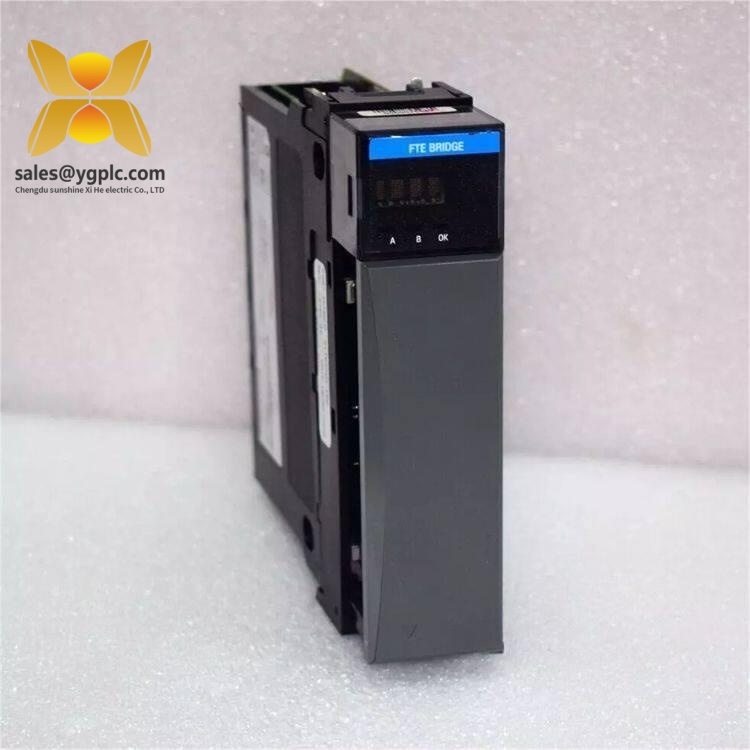
Honeywell TK-PPD011
Installation & Configuration Guide
Stage 1 — Preparation
Estimated time: 10 minutes
⚠️ Power must be removed from the chassis before installation.
- Put the controller system into the approved maintenance state.
- Confirm that the chassis is not energized.
- Apply appropriate ESD protection.
- Confirm that the required TK-PPD011 module is available.
- Verify that the required battery is available separately.
- Check the chassis configuration against the Honeywell hardware-planning rules.
Honeywell’s installation guidance specifically requires confirmation that no power is applied to the chassis and notes that the BEM is shipped without the battery installed.
Stage 2 — Install the Battery
Estimated time: 5–10 minutes
- Remove the screws securing the BEM cover.
- Open the module carefully.
- Install the specified battery according to the Honeywell procedure.
- Check battery polarity and connector seating.
- Refit the cover.
- Inspect the assembly before inserting it into the chassis.
⚠️ Do not substitute an unspecified battery merely because the physical connector appears compatible.
Stage 3 — Install the Module
Estimated time: 5 minutes
- Confirm the chassis slot and module orientation.
- Wear an ESD wrist strap.
- Align TK-PPD011 with the chassis connector.
- Insert the module without excessive force.
- Secure the module according to the Honeywell chassis procedure.
- Connect the BEM status contact wiring where required by the system configuration.
Honeywell documentation lists wiring of the BEM status contact as part of the installation procedure.
Stage 4 — Power-Up & Verification
Estimated time: 10–15 minutes
- Confirm the battery and module connections.
- Inspect the chassis for loose hardware or wiring.
- Restore power according to the approved startup sequence.
- Observe the controller and battery-status indications.
- Check system diagnostics for battery-related alarms.
- Confirm normal controller operation.
- Record the module serial number and battery installation date in the maintenance log.
Honeywell notes that the CPM and BEM batteries should be considered during installation because having both connected can affect the CPM battery-status indication during startup diagnostics.
Common Questions — FAQ
1. What is Honeywell TK-PPD011 used for?
It is a Battery Extension Module for Honeywell controller hardware. Its purpose is to extend battery-backed support for the control system rather than provide normal analog or digital I/O.
2. Is TK-PPD011 the same as TC-PPD011?
Not exactly. Honeywell’s Experion PKS documentation identifies TC-PPD011 as the uncoated version and TK-PPD011 as the coated version. That distinction matters when the installed hardware specification calls for a particular environmental coating.
3. Does the TK-PPD011 include the battery?
Honeywell’s installation documentation states that the Battery Extension Module is shipped without the battery installed. Confirm the battery requirement before ordering the module alone.
4. What are the electrical specifications?
Published distributor data lists a 30 VDC output at 100 mA, with approximately 0.036 A current draw at 24 VDC and 0.112 A at 5 VDC. These values should be checked against the applicable Honeywell hardware documentation for the exact system configuration.
5. Can I install TK-PPD011 while the controller is running?
Do not assume that it is hot-swappable. Honeywell’s installation procedure explicitly says to confirm that no power is applied to the chassis before installing the BEM. Follow the site shutdown and maintenance procedure for the specific controller chassis.
6. Is TK-PPD011 a C200 spare?
It is commonly listed as a Honeywell C200 Battery Extension Module, and supplier data identifies it for PKS C200 applications. However, compatibility depends on the actual controller chassis and configuration, so the installed hardware should be checked before substitution.
7. What should I check before purchasing?
Match the exact TK-PPD011 part number, confirm whether the application requires the coated version, verify the controller chassis configuration, and confirm whether the required battery is included or must be purchased separately.