中文版
中文版

 Phone:
  Email:
  WhatsApp:
 Description
- Model: 51401577-500
- Brand: Honeywell
- Series: Honeywell Operator Interface / Classic Keyboard
- Core Function: Provides operator command and data-entry input
- Type: Industrial Operator Keyboard
- Key Specs: Classic operator configuration, control-room use, Honeywell process-system interface
Product Introduction
The HONEYWELL 51401577-500 is a Classic Operator Keyboard used with Honeywell process-control operator interfaces. Honeywell documentation identifies the exact part number as a keyboard assembly associated with an OEP keyboard and UGUS upgrade hardware, while industrial spare-parts catalogs classify it as an operator keyboard.
This is a human-machine interface (HMI) accessory, not a DCS controller or I/O card. Its value is simple: it gives operators a physical input device for established Honeywell control-room workstations. Several industrial suppliers also associate the part with Honeywell process-control platforms such as Experion PKS and earlier TDC systems, but compatibility should be confirmed from the workstation configuration rather than assumed from the keyboard alone.
Key Technical Specifications
| Parameter | Specification |
|---|---|
| Model | 51401577-500 |
| Manufacturer | Honeywell |
| Product Type | Industrial Operator Keyboard |
| Keyboard Configuration | Classic Operator Keyboard |
| Primary Function | Operator command and data entry |
| Application | Honeywell process-control operator stations |
| System Association | OEP / UGUS-related Honeywell operator hardware |
| Interface | Verify workstation-specific connection |
| Compatibility | Honeywell operator interface configuration dependent |
| Dimensions | Approx. 150 × 100 × 20 mm reported by secondary suppliers |
| Weight | Approx. 0.5 kg reported by several suppliers |
| Installation | Operator console / workstation |
| Condition | New Original / New Surplus / Refurbished, depending on stock |
The exact interface specification should be verified from the keyboard assembly and workstation documentation. Supplier descriptions are not consistent enough to treat USB or other connection details as universal for every installation.
Application and Selection Notes
The keyboard is intended for operator-facing Honeywell control environments. It is most relevant to plants maintaining older operator stations where replacing the complete console would create unnecessary engineering work.
One useful Honeywell reference is the UGUS upgrade procedure, which specifically states that the existing OEP keyboard may require a keyboard-interface update using the 51401577-500 assembly. That gives the part a clearer engineering context than generic reseller descriptions do.
Do not buy by appearance alone. Keyboard assemblies from the same Honeywell generation can look similar while using different interface hardware or workstation arrangements. Confirm the existing console, keyboard interface, mounting arrangement, and part number first.
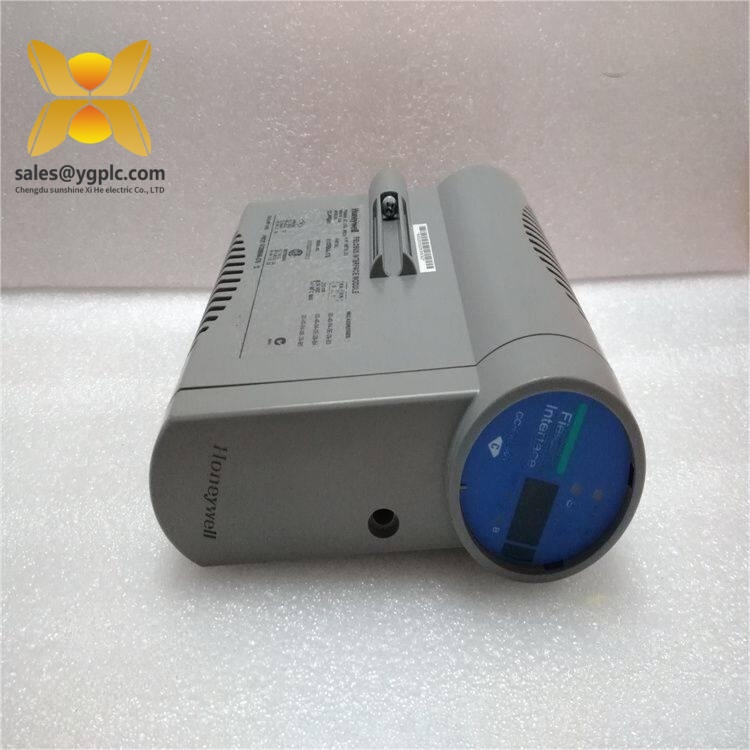
HONEYWELL 51401577-500
Advantages and Limitations
Advantages
- Original Honeywell operator-interface hardware
- Suitable for legacy process-control workstations
- Useful for maintaining established operator consoles
- Direct part-number identification simplifies MRO purchasing
- Appropriate as a dedicated spare for aging control-room equipment
Limitations
This is a workstation peripheral, not a standalone automation controller. Its usefulness depends on the connected Honeywell operator system and interface electronics.
Public technical information for the exact unit is limited. Secondary listings provide dimensions, weight, and compatibility claims, but these should be treated as reference values rather than Honeywell-certified specifications.
Global Procurement and Shipping Notes
| Item | Recommended Handling |
|---|---|
| Condition | Confirm New Original, New Surplus, or Used |
| Stock Status | Verify physical inventory before PO |
| Compatibility | Confirm operator-station interface |
| Lead Time | Based on actual warehouse stock |
| Warranty | State clearly on quotation and PI |
| Packaging | Anti-static protection + foam cushioning |
| Export Documents | Commercial Invoice, Packing List, COO when required |
| Shipping | Express air courier for urgent MRO |
| Incoterms | FCA, EXW, FOB, or DAP |
| Customs Description | Honeywell industrial operator keyboard |
For international shipments, list both the manufacturer and full part number on the Commercial Invoice and Packing List. “Industrial operator keyboard” is a more accurate customs description than a generic “electronic component.”
Country of origin should be taken from the physical label or supplier documentation. Some current distributor listings report USA origin, but seller-reported origin should not be treated as universal without supporting documentation.
Quality Inspection and Test SOP
1. Inbound inspection
Check the Honeywell label, part number, serial number where present, keyboard housing, keycaps, cable or connector, and mounting hardware. Inspect for cracked plastic, damaged keys, corrosion, yellowing, or evidence of previous repair.
2. Live test
Connect the keyboard to a compatible Honeywell operator workstation or approved test interface. Verify key response, special-function keys, cursor/navigation functions, and system recognition. Record the actual result in a Test Report.
3. Electrical testing
Check cable continuity and connector integrity as applicable. Avoid arbitrary high-voltage testing on a keyboard assembly unless specifically permitted by the manufacturer’s procedure.
4. Configuration verification
Record the workstation/interface type and compare the original connection arrangement before replacement. Photograph the connector and cable routing before removing the old unit.
5. Final QC
Protect the keyboard against impact and moisture, use suitable foam cushioning, place it in a rigid carton, and attach a QC Passed label with inspection date. Test photographs or video can be supplied when the corresponding test has actually been completed.
Common Replacement Risks
Interface mismatch: A keyboard can be physically compatible yet still fail to communicate with the operator station if the interface electronics differ. Verify the complete workstation configuration.
Part-number confusion: Honeywell has multiple keyboard assemblies with nearby part numbers. Match 51401577-500 exactly rather than buying by keyboard appearance.
Cable differences: Check connector type and cable length before dispatch. A replacement with a different cable arrangement may require additional interface hardware.
Operator-station configuration: The Honeywell documentation linking this assembly to the UGUS/OEP upgrade is a good reminder that the keyboard can form part of a larger interface architecture.
Physical damage: Keys, switches, and connector housings can be damaged during transport even when the electronics are fine. Use proper cushioning.
One simple rule works here: photograph the old keyboard connector before removal. That picture is often more useful than a generic product listing.
Related Models
51401577-001: Related Honeywell keyboard part number appearing in spare-parts catalogs. Verify the exact interface and workstation compatibility before substitution.
51196694-200: Honeywell IKB desktop keyboard with trackball, a different operator-input assembly. It should not be treated as a direct replacement.
51196694-300: Another IKB desktop keyboard configuration using a PS/2 interface and trackball.
51402497-200: Honeywell QWERTY keyboard with beeper, representing another operator-interface configuration.
Quick Conclusion
- Honeywell Classic Operator Keyboard.
- Part number 51401577-500.
- Associated with Honeywell process-control operator interfaces and OEP/UGUS upgrade hardware.
- Best suited to maintaining an existing Honeywell operator workstation.
- Verify the interface and workstation configuration before substitution.
- Condition, actual stock, warranty, and compatibility should be confirmed before purchase.
FAQ
What is the HONEYWELL 51401577-500?
It is a Honeywell Classic Operator Keyboard used in industrial process-control operator interfaces. Honeywell documentation specifically references the assembly in an OEP/UGUS upgrade context.
Is it a DCS controller module?
No. It is an operator input device, not a CPU, I/O, or communication module.
What systems can it work with?
Secondary supplier listings associate it with Honeywell TDC and Experion process-control environments, but the correct match depends on the operator workstation and interface hardware.
Are the published dimensions official?
Not necessarily. Several suppliers report approximately 150 × 100 × 20 mm and 0.5 kg, but these figures should be verified against the actual unit before shipping or cabinet planning.
Can another Honeywell keyboard replace it?
Not automatically. Check the exact part number, connector, interface assembly, mounting arrangement, and operator-station configuration before substitution.
What should buyers verify before ordering?
Confirm the full part number, physical condition, connector/interface, workstation compatibility, test status, warranty, country of origin, and actual warehouse stock.