中文版
中文版

 Phone:
  Email:
  WhatsApp:
 Description
- Model: 261A1812P012
- Brand: Honeywell
- Series: Honeywell industrial control hardware
- Core Function: Supports installed Honeywell control-system hardware
- Type: Industrial automation spare module
- Key Specs: Exact function and electrical configuration are revision dependent
- Status: Legacy part; verify nameplate and system compatibility before purchase
Product Introduction
Honeywell 261A1812P012 is a Honeywell industrial automation spare part identified by its engineering part number rather than a commonly marketed standalone product name. For MRO work, the complete part number is important because Honeywell uses detailed assembly and revision codes across its control-system hardware.
I would treat this item as a controlled replacement part, not a generic Honeywell module. Public technical references for this exact number are limited, so assigning an unverified I/O type, voltage rating, channel count, or communication protocol would create unnecessary procurement risk. The safest approach is to match the existing nameplate, hardware revision, cabinet location, connector arrangement, and applicable Honeywell system documentation.
Key Technical Specifications
| Parameter | Specification |
|---|---|
| Model | 261A1812P012 |
| Manufacturer | Honeywell |
| Product Type | Industrial Automation Spare |
| Part Number | 261A1812P012 |
| System Application | Honeywell control-system equipment |
| Hardware Revision | Must be verified |
| Electrical Rating | Must be verified |
| I/O Function | Must be verified |
| Communication | Must be verified |
| Mounting | System dependent |
| Connector Type | Must be verified from physical unit |
| Firmware | Revision dependent |
| Dimensions | To be confirmed from original documentation |
| Weight | To be confirmed from actual inventory |
Engineering note: I would not publish guessed specifications for this part. For a safety-, process-, or production-critical replacement, the original Honeywell documentation and physical nameplate should take priority over third-party catalog descriptions.
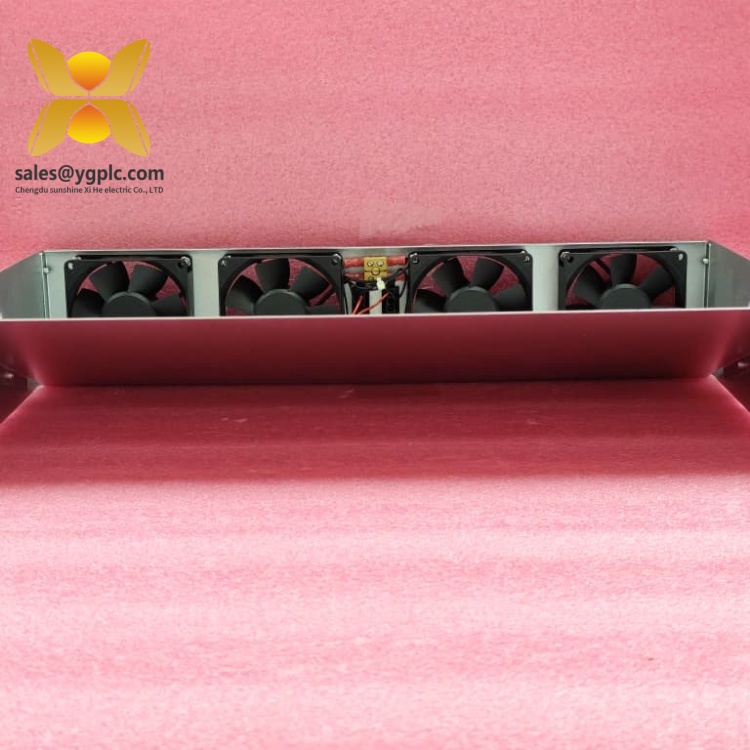
Honeywell 261A1812P012
Application and Selection Notes
This part is best approached from the installed-system configuration rather than from the part number alone. Before purchasing, compare the original unit’s complete identification label, revision code, connector layout, mounting position, and associated assembly number.
That is especially important with older Honeywell equipment. A suffix or engineering code can distinguish an electrically different assembly even when the housing looks almost identical.
For an international MRO order, request photographs of the actual stock item. At minimum, obtain the nameplate, front and rear views, connector side, and any revision labels. Those images can often resolve an identification question before the shipment leaves the warehouse.
Quality Inspection and Shipping
A suitable inspection process is:
- Incoming inspection: Verify the exact part number, serial number, Honeywell markings, revision information, connectors, housing, and physical condition.
- Visual inspection: Check for corrosion, cracked insulation, damaged terminals, discoloration, and evidence of previous repair.
- Live Test: Where a compatible Honeywell test environment exists, verify power-up diagnostics and applicable functional behavior.
- Electrical Test: Check applicable supply parameters, grounding continuity, connector integrity, and abnormal current draw.
- Configuration Verification: Record firmware, jumpers, switches, and other configuration information when accessible.
- Final QC: Complete the Test Report, photograph the tested unit, apply a QC record, and use ESD-safe packaging.
For export shipments, the commercial invoice should describe the item according to its actual engineering function once confirmed. Avoid labeling an unidentified assembly simply as a “CPU,” “I/O card,” or “controller.”
Common Replacement Pitfalls
Wrong function: The biggest risk is assuming the part type from the Honeywell brand or number. Confirm the actual assembly function first.
Revision mismatch: Record the complete hardware revision before ordering a replacement.
Connector differences: Compare pin assignments and connector styles rather than relying on physical appearance.
Configuration loss: Photograph switches, jumpers, and installed settings before removing the original unit.
Documentation gap: If the part is from a discontinued system, locate the original cabinet drawing or bill of materials. That document can be more useful than a generic product listing.
Personally, I would not release this part for installation until the nameplate and original system BOM agree. With legacy automation hardware, that simple check can prevent a very expensive wrong-part shipment.
Quick Conclusion
- Honeywell industrial automation spare identified by engineering part number
- Exact technical function requires confirmation from the installed system
- Avoid assuming I/O, CPU, power, or communication specifications
- Suitable for controlled MRO replacement after identification
- Physical nameplate and revision should be verified before purchase
- Request actual-unit photographs and test documentation for legacy inventory
- Use the original Honeywell BOM/manual as the final compatibility reference