中文版
中文版

 Phone:
  Email:
  WhatsApp:
 Description
- Model: 05701-A-0550
- Brand: Honeywell / Honeywell Analytics
- Series: System 57 / 5701
- Core Function: Control-card extraction and engineering access
- Type: Control card key kit / extraction tool kit
- Key Specs: System 57 compatible; used with 5701 control cards; rack-mounted card removal
- Product Status: Legacy System 57 spare part; availability should be confirmed before order. Honeywell lists it as a System 57 key kit, while older Honeywell documentation identifies the same part number in the 5701 spare-parts section.
Product Introduction
Honeywell 05701-A-0550 is a System 57 key kit used with 5701 control-system racks. Its main purpose is mechanical access during control-card removal and maintenance, rather than signal processing or I/O control. Honeywell documentation specifically identifies the extraction tool supplied with the rack as part of this key kit.
For maintenance teams supporting legacy Honeywell gas detection systems, this is a small spare with a very specific job. It is used together with the card securing screws and extraction slot to remove a control card from the rack without pulling directly on the card assembly. That makes it a maintenance accessory, not a replacement control module.
Key Technical Specifications
| Parameter | Verified Information |
|---|---|
| Manufacturer | Honeywell / Honeywell Analytics |
| Model | 05701-A-0550 |
| Product Family | System 57 |
| System | 5701 Control System |
| Product Type | Key Kit / Control Card Extraction Tool |
| Primary Function | Control-card removal during maintenance |
| Compatible Equipment | System 57 / 5701 rack assemblies |
| Extraction Method | Tool engages the control-card extraction slot |
| Card Retention | Control card secured by two screws before extraction |
| Typical Use | Maintenance, inspection, replacement and servicing |
| Electrical Connection | None; this is a mechanical accessory |
| Power Requirement | Not applicable |
| Operating Temperature | Not specified for this accessory in the cited Honeywell documentation |
| Dimensions | Not specified in the cited Honeywell documentation |
| Weight | Not specified in the cited Honeywell documentation |
Honeywell’s 5701 operating instructions state that the extraction tool is supplied as part of the 05701-A-0550 Key Kit and is used through the extraction slot below the card’s select push-button.
One catalog source also lists 05701-A-0550 as a System 57 Calibration Plug, so legacy catalog descriptions are not completely consistent. For procurement, the Honeywell operating manual and current Honeywell accessory listing are the stronger references for identifying this part as the control-card key/extraction kit.
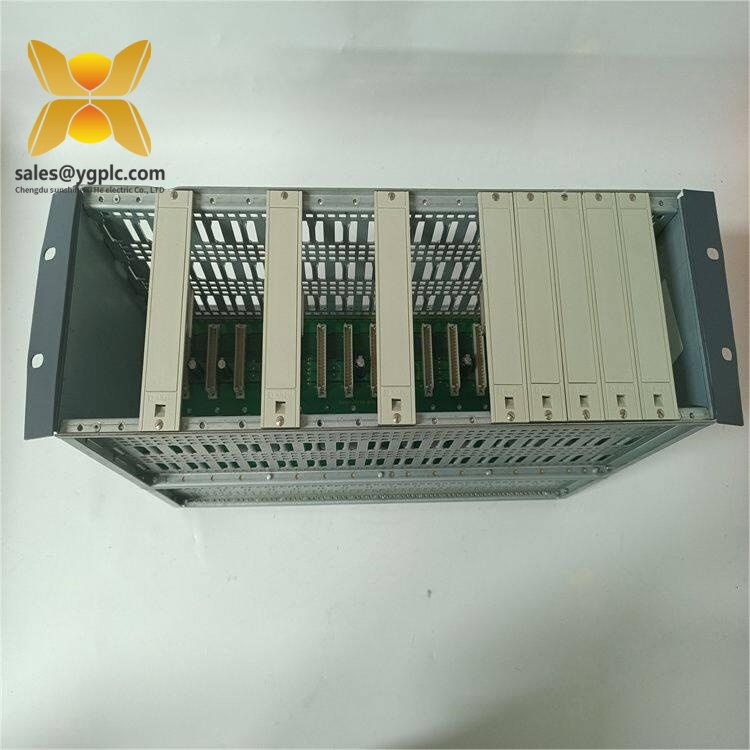
Honeywell 05701-A-0550
Installation & Configuration Guide
Stage 1 — Preparation
Estimated time: 5–10 minutes
⚠️ Safety first. This is a maintenance tool for a gas detection control system. Before removing any card:
- Notify the responsible operations team.
- Place the system in the approved maintenance or safe state.
- Follow the site’s permit-to-work and isolation procedure.
- Confirm which 5701 control card is being removed.
- Take a clear photo of the card position and front-panel identification.
No electrical configuration is performed on the key kit itself.
Stage 2 — Remove the Control Card
Estimated time: 5 minutes
- Confirm the control-card position in the System 57 rack.
- Locate the two card-securing screws, one at the top and one at the bottom.
- Remove both securing screws.
- Locate the extraction slot below the select push-button on the card.
- Insert the 05701-A-0550 extraction tool into the slot.
- Hook the tool into the extraction point.
- Pull the card gently and evenly from the rack.
Honeywell’s operating instructions specify this extraction sequence and caution against treating the tool as a generic pulling device; it is designed to engage the card’s dedicated extraction slot.
Stage 3 — Reinstallation
Estimated time: 5 minutes
- Align the control card with the correct rack position.
- Push the card into the rack carefully.
- Confirm that the card is seated correctly.
- Reinstall the upper and lower securing screws.
- Verify the front-panel label and card position.
- Restore the system according to the site’s approved startup procedure.
The key kit itself does not require firmware loading, addressing, network configuration, or software setup.
Stage 4 — Post-Maintenance Check
Estimated time: 5–10 minutes
Check the following:
- Card is fully seated.
- Both retaining screws are installed.
- Front-panel display and indicators operate normally.
- No unexpected system fault is displayed.
- Gas detection channels return to their approved operating state.
- Maintenance records are updated with the removed/reinstalled card identity.
⚠️ Do not force the card into the rack. If mechanical alignment is abnormal, stop and inspect the rack slot and card guides before applying further pressure.
Common Questions — FAQ
1. What exactly is Honeywell 05701-A-0550?
It is a System 57 key kit used for control-card extraction and maintenance. Honeywell’s 5701 operating instructions explicitly identify the extraction tool as part of this kit.
It is not a CPU, I/O card, relay card, or power-supply module.
2. Can 05701-A-0550 replace a faulty 5701 control card?
No. This part is a maintenance accessory. It provides the mechanical tool required to remove a control card from the rack; it does not perform gas measurement, alarm processing, or control functions.
3. My rack already has an extraction tool. Do I still need this spare?
That depends on your maintenance strategy. For a legacy System 57 installation, keeping a spare key kit can be sensible because it is inexpensive compared with delaying card replacement while searching for a missing extraction tool.
For centralized maintenance stores, one spare can often cover several compatible racks rather than assigning one kit to every control card.
4. Is 05701-A-0550 an electrical module?
No. The cited Honeywell documentation describes it as a Key Kit and uses it mechanically with the card extraction slot. There is no separate power, communication, firmware, or I/O configuration associated with the tool itself.
5. I found listings calling 05701-A-0550 a “Calibration Plug.” Which description is correct?
Legacy documentation is inconsistent. Honeywell’s 2018 product guide lists 05701-A-0550 as a System 57 Calibration Plug, while Honeywell’s operating instructions identify the same part number as the Key Kit supplied with the rack and describe its extraction-tool function.
For purchasing and technical identification, verify the physical item and application against the installed System 57 rack documentation before placing an order.
6. Is this part still available as a new item?
The current Honeywell accessory listing still associates 05701-A-0550 with the System 57 key kit, but third-party legacy inventory listings have reported it as discontinued or obsolete. Availability therefore needs to be checked at the time of purchase rather than assumed from the catalog number.
7. What should I check before ordering?
Match these items against the installed system:
- Part number: 05701-A-0550
- System family: Honeywell System 57
- Application: 5701 rack/control-card maintenance
- Physical description: control-card extraction/key kit
- Condition: New original, new surplus, or used stock should be stated explicitly by the supplier
- Documentation: request clear photos of the actual item and label for legacy-stock verification
For a critical gas detection installation, confirm the rack and control-card configuration from the site documentation before treating any legacy part as an interchangeable spare.