中文版
中文版

 Phone:
  Email:
  WhatsApp:
 Description
- Model: 1C31233G01
- Brand: Emerson
- Series: Ovation Compact Sequence of Events (SOE)
- Core Function: Records time-tagged digital events
- Type: SOE digital input electronics module
- Key Specs: 16 channels; 24/48 VDC; single-ended inputs
- Input Configuration: 24/48 VDC single-ended
- SOE Capability: Sequence-of-events event recording
- Time Tagging: Up to 125 μs stated in Ovation documentation
- Time Synchronization: 1 ms resolution stated in Ovation documentation
- Related Base/Personality: Check the installed Ovation base and approved personality configuration before replacement
- Stocking Status: Suitable as a critical control-system spare; verify physical stock before purchase
The Ovation documentation identifies 1C31233G01 as the 24/48 VDC single-ended electronics module for the Compact Sequence of Events subsystem.
Product Introduction
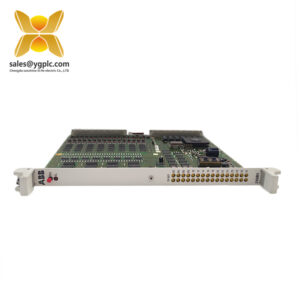
When an event needs to be reconstructed after a trip, ordinary digital status history may not be enough. Emerson 1C31233G01 is an Ovation Compact Sequence of Events electronics module for 16 single-ended digital inputs at 24/48 VDC, designed to capture event timing for control-system analysis.
The Ovation documentation specifies event tagging to within 125 μs, with time synchronization to the controller at 1 ms resolution. That makes this module particularly relevant to power-generation and process-control applications where the order and timing of contact changes matter. For procurement, confirm the existing base, personality configuration, firmware/system revision, and input wiring before treating it as a direct field replacement.
Key Technical Specifications
| Parameter | Specification |
|---|---|
| Manufacturer | Emerson |
| Product Family | Ovation |
| Model | 1C31233G01 |
| Module Group | Compact Sequence of Events |
| Module Type | SOE Digital Input Electronics Module |
| Input Configuration | Single-ended |
| Number of Inputs | 16 |
| Input Voltage | 24/48 VDC |
| Event Recording | Sequence of Events (SOE) |
| Event Tagging | Within 125 μs, according to Ovation documentation |
| Time Synchronization | 1 ms resolution, according to Ovation documentation |
| Related Variant | 1C31233G02: 24/48 VDC differential-input version |
| Related Variant | 1C31233G03: 125 VDC differential-input version |
| Application Platform | Emerson Ovation DCS |
| Installation | Use the approved Ovation base/interface specified for the installed system |
| Operating Temperature | Verify against the applicable Emerson/Ovation hardware manual |
| Dimensions | Verify against the applicable hardware drawing |
| Weight | Verify against the actual supplied assembly |
| Certification | Verify against the nameplate and applicable Emerson documentation |
The 1C31233G01, G02, and G03 variants are differentiated primarily by input configuration and voltage range. The documented 1C31233G01 configuration is 16-channel, 24/48 VDC, single-ended.
Specification note: Dimensions, operating temperature, electrical consumption, certification markings, and exact mechanical configuration should be confirmed from the applicable Emerson/Ovation hardware documentation or the actual nameplate. Do not copy specifications from a visually similar Ovation module.
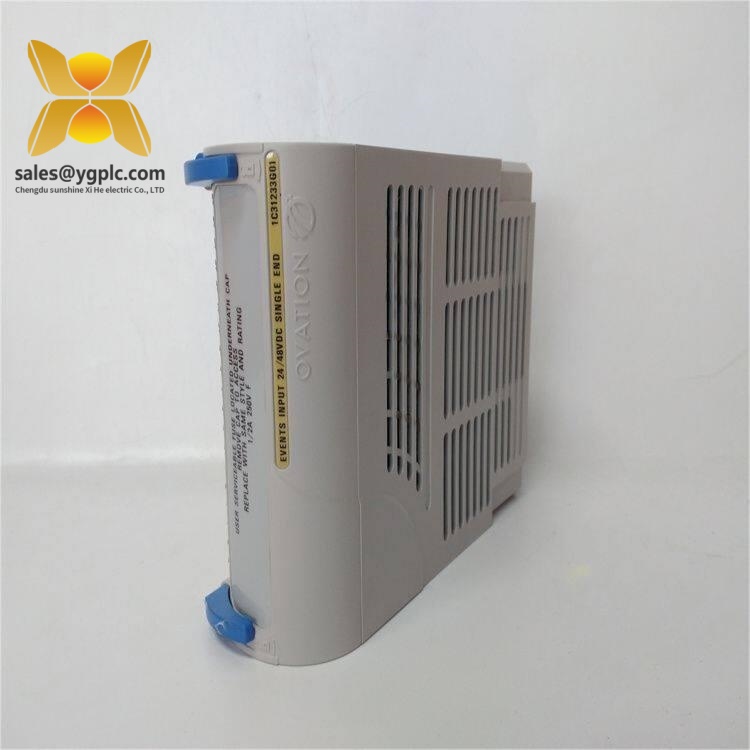
Emerson 1C31233G01
Installation & Configuration Guide
Stage 1 — Pre-Installation Preparation
Estimated time: 10–15 minutes
⚠️ Safety first. This is a control-system I/O component. Follow the plant’s approved maintenance procedure and Emerson/Ovation shutdown requirements before removing it.
- Notify the control-room and production teams of the planned maintenance.
- Confirm that the affected control loops and digital inputs are in a safe maintenance state.
- Follow the approved electrical isolation procedure. Do not assume that removing one module makes the entire rack electrically safe.
- Use an ESD wrist strap and grounded ESD mat when handling the electronics module.
- Prepare a PH1 screwdriver, calibrated multimeter, labels, marker, camera, and the applicable Ovation documentation.
- Record the existing module’s model number, revision, serial number, and visible configuration information.
- Photograph the complete rack position and all associated wiring before disassembly.
Keep the backup records. A five-minute photo session can prevent hours of wiring investigation later.
Stage 2 — Remove the Existing Module
Estimated time: 5–10 minutes
- Confirm the rack position against the maintenance drawing.
- Verify the old module identification before touching any connection.
- Label field wiring according to the existing terminal identification.
- Remove the module using the retaining mechanism specified for the installed Ovation base.
- Do not pull against the circuit board or connector.
- Inspect the removed module and base interface for corrosion, contamination, bent contacts, discoloration, or mechanical damage.
- Keep the removed module until the replacement has passed functional checks.
Important: 1C31233G01 is an Ovation Compact SOE electronics module. Do not apply a generic DIN-rail replacement procedure unless the installed hardware documentation specifically identifies that mounting arrangement.
Stage 3 — Install the Replacement
Estimated time: 5–10 minutes
- Confirm that the replacement is 1C31233G01 and not the visually similar 1C31233G02 or 1C31233G03.
- Check the module revision and physical condition.
- Wear the ESD wrist strap before removing the replacement from its protective packaging.
- Align the module with the correct Ovation base/interface.
- Seat the module without forcing the connector.
- Secure the retaining mechanism according to the applicable hardware manual.
- Restore the field wiring using the photographs and labels from removal.
- Verify every channel position against the approved wiring diagram.
Do not guess the terminal assignment. A similar-looking Ovation input module can have a different electrical configuration.
Stage 4 — Power-On and Functional Testing
Estimated time: 15–30 minutes
Before energizing:
- Check that all connections are mechanically secure.
- Verify the field supply voltage against the approved system documentation.
- Inspect for accidental shorts, exposed conductors, or reversed wiring.
- Confirm that the replacement module is correctly seated.
- Restore power according to the plant’s approved sequence.
- Observe the module and system diagnostic indications.
- Connect through the approved Ovation engineering/maintenance environment.
- Confirm that the module is recognized by the system.
- Verify module identification and revision information.
- Test representative digital inputs across the required operating range.
- Check event timestamps and sequence recording.
- Confirm that the controller receives the expected SOE data.
- Review alarms and diagnostics before returning the process to normal service.
The documented SOE architecture is intended to provide time-tagged event information, so the test should check more than simple ON/OFF indication. Verify the event order and timestamp behavior as part of commissioning.
Stage 5 — Maintenance Record and QC
Estimated time: 5–10 minutes
Record:
- Replacement date
- Technician name
- Old module serial number
- New module serial number
- Hardware revision
- System/Ovation revision
- Test results
- Input channels tested
- SOE timestamp verification
- Any abnormal diagnostic indication
For incoming spare inventory, use a controlled QC process:
- Traceability check: Verify supplier documentation, packing information, and serial number.
- Visual inspection: Check for corrosion, scratches, repair evidence, oxidation, or damaged connectors.
- Accessory check: Confirm the supplied hardware against the purchase specification.
- Electrical inspection: Perform only tests permitted by the applicable Emerson documentation and your site’s electrical-test procedure.
- Functional test: Where a qualified Ovation test environment is available, verify module recognition and representative input/event behavior.
- Configuration record: Photograph and record applicable revision or configuration information.
- Final packaging: Use ESD-safe packaging and suitable protective cushioning.
- QC record: Attach the inspection date and test report to the inventory record.
Test photos or videos can be provided to the customer when available.
Common Replacement Risks
1. Firmware or system-revision mismatch
Do not assume that identical catalog numbers guarantee identical system behavior across every Ovation revision. Record the existing system and module revision before replacement, then confirm compatibility with the applicable Emerson documentation.
2. Wrong input variant
This is an easy mistake. The Ovation documentation distinguishes 1C31233G01 from 1C31233G02 and 1C31233G03 by input configuration and voltage range. Ordering the wrong variant can turn a simple spare replacement into a wiring and commissioning problem.
3. Wiring assumptions
A technician may recognize the connector and assume the channel arrangement is identical. That is risky. Use the approved wiring diagram for the exact module and base.
4. ESD damage
Keep the module inside its ESD-safe packaging until the work area is ready. Dry environments deserve extra attention.
5. Incorrect spare-stock classification
This module is not a generic high-volume consumable. For a plant where SOE inputs are critical to trip analysis or event reconstruction, a Min/Max policy with at least one controlled buffer unit may make more economic sense than waiting for an emergency purchase.
Frequently Asked Questions (FAQ)
1. What exactly is Emerson 1C31233G01?
It is an Emerson Ovation Compact Sequence of Events digital input electronics module. The documented configuration provides 16 single-ended digital inputs for 24/48 VDC signals.
Its main job is not simply reading digital contacts. It records their sequence and timing for event analysis.
2. Is 1C31233G01 the same as 1C31233G02?
No. The distinction matters.
| Model | Input Configuration | Voltage |
| 1C31233G01 | Single-ended | 24/48 VDC |
| 1C31233G02 | Differential | 24/48 VDC |
| 1C31233G03 | Differential | 125 VDC |
These variants belong to the same Compact SOE family, but they are not interchangeable by model number alone.
3. Can I install this module directly into my Ovation system?
Potentially, but verify the installed base and system configuration first. Check the exact hardware drawing, module revision, connector arrangement, and field wiring.
If your existing unit is also 1C31233G01, replacement is much more straightforward. Even then, compare the revision and configuration before installation.
4. My system is already running. Can I hot-swap 1C31233G01?
Do not assume that you can.
Whether removal under power is permitted depends on the specific Ovation hardware configuration and the approved maintenance procedure. Use the Emerson documentation for the installed base and follow your plant’s live-maintenance rules. A controlled shutdown is preferable when the hardware documentation does not explicitly authorize live replacement.
5. Why is the SOE function important?
A normal digital input tells you whether a signal changed. SOE adds the timing context.
For a trip investigation, that distinction can be significant. The Ovation documentation describes event tagging to within 125 μs and synchronization to the controller at 1 ms resolution.
6. Is this part normally worth keeping as buffer stock?
For a plant where loss of an SOE input module can delay troubleshooting or extend an outage, yes, one controlled spare can be justified.
A practical starting point is:
- Critical single-source application: Min 1 / Max 2
- Multiple plants using the same module: Hold a shared regional buffer
- Low-criticality application: Min 0 / Max 1, with a qualified supplier and known lead time
- End-of-life risk: Consider a Last-time-buy after lifecycle confirmation
The goal is not to accumulate old electronics. Carrying cost and obsolescence exposure still matter.
7. Is 1C31233G01 available as a new spare?
Availability depends on the seller’s current physical inventory. Current market listings show 1C31233G01 offered as an Ovation SOE 24/48 VDC single-ended module, with some suppliers listing new units and warranty terms. These are supplier claims, not Emerson authorization, so verify serial number, condition, traceability, and warranty before purchase.
For a critical spare, ask for the actual unit’s photos, nameplate, serial number, condition statement, and available test evidence before placing the order.