中文版
中文版

 Phone:
  Email:
  WhatsApp:
 Description
Product Overview
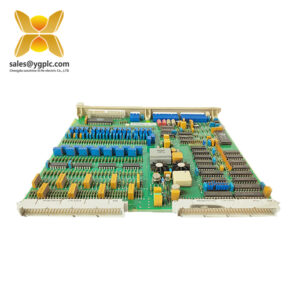
The IMRIO02 is an ABB Bailey INFI 90 Remote I/O Slave Module designed to extend process-control I/O from a central Multi-Function Processor to remotely located slave modules. The module operates with Bailey IMMFP01, IMMFP02, and IMMFP03 processors and provides a communication path between the controller and remote I/O drops. ABB documentation specifies a communication rate of 1 Mbit/s and supports remote links using coaxial, twinaxial, or fiber-optic media, with system-dependent distances of up to approximately 3,000 m.
The module occupies one slot in an INFI 90 Module Mounting Unit and includes address/configuration switches, front-panel status LEDs, and internal diagnostics. For legacy DCS maintenance, it is a practical spare where remote field I/O must remain connected to an existing Bailey control architecture.
Technical Specifications — IMRIO02
| Parameter | Value |
|---|---|
| Product Model | IMRIO02 |
| Manufacturer | ABB Bailey |
| Product Type | Remote I/O Slave Module |
| System | INFI 90 Process Control System |
| Primary Function | Remote I/O communication |
| Compatible Processors | IMMFP01 / IMMFP02 / IMMFP03 |
| Communication Rate | 1 Mbit/s |
| Remote Link | Coaxial, twinaxial, or fiber optic |
| Maximum Link Distance | Up to approximately 3,000 m, system-dependent |
| Power Supply | +5 VDC, +15 VDC, -15 VDC |
| Typical Power Consumption | 7.25 W at +5 VDC, typical |
| Mounting | One slot in INFI 90 MMU |
| Dimensions (HxWxD) | Verify against applicable cabinet documentation |
| Weight | Verify before shipment |
| Typical Interfaces | Expander bus, remote I/O link, termination hardware |
| Diagnostics | Internal communication and module-status diagnostics |
| Compliance | System and installation dependent |
The documented power requirements are approximately 1.45 A typical at +5 VDC, 17.5 mA at +15 VDC, and 80 mA at -15 VDC.
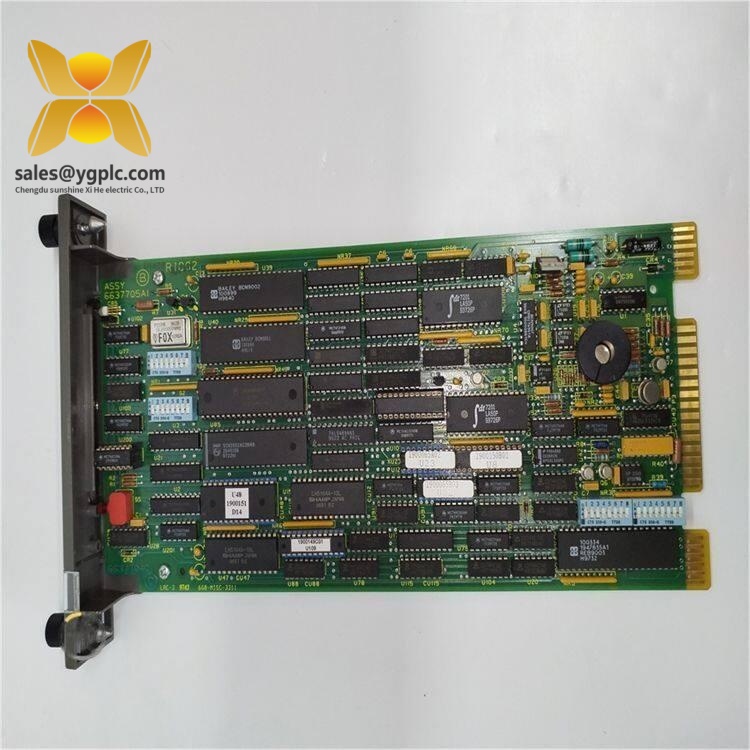
ABB IMRIO02
Key Features and Benefits — IMRIO02
- Extends INFI 90 process-control capability to remote field locations.
- Provides 1 Mbit/s communication between the central processor and remote I/O.
- Supports multiple physical remote-link media depending on the installed architecture.
- One-slot design fits standard INFI 90 module mounting units.
- Front-panel LEDs provide operating-status information.
- Internal diagnostics help identify module and communication-link problems.
- Supports redundant communication hardware in compatible configurations.
- Suitable for lifecycle support of established Bailey INFI 90 installations.
The module is not a conventional field I/O card; its main function is to establish the remote I/O communication path. Bailey documentation specifically describes it as allowing an MFP to control remote slave modules and remote process-control equipment.
Related Models
IMMFP01 — Bailey Multi-Function Processor used as a central processor with compatible remote I/O architecture.
IMMFP02 — Multi-Function Processor variant that can operate with the remote I/O system.
IMMFP03 — Another compatible Multi-Function Processor within the INFI 90 architecture.
NIRL03 — Remote Link Termination Module associated with the remote I/O communication system and used with supported link configurations.
Installation and Maintenance — IMRIO02
Before replacement, isolate the relevant INFI 90 equipment according to site procedures. Record the module address, switch positions, rack location, termination configuration, remote-link type, and diagnostic LED status before removing the original module.
Use ESD protection when handling the board. Inspect connectors and termination hardware for contamination, corrosion, or mechanical damage. Verify the remote-link cabling and termination arrangement before commissioning.
After installation, check module status indicators and communication diagnostics, then confirm communication with the remote I/O stations. Where a redundant architecture is used, test both communication paths individually.
Personally, I would document the switch settings and remote-link configuration before removing the old board. On a mature INFI 90 installation, that information can save considerable troubleshooting time after a module swap.
Product Warranty — IMRIO02
Warranty coverage depends on supplier and item condition. Confirm whether the module is new, unused surplus, refurbished, or previously installed, and request available inspection or functional-test records.
For critical INFI 90 spare inventory, retain the complete model number, hardware revision, serial number where applicable, switch configuration, inspection status, and storage history. This supports traceability and reduces the risk of incorrect configuration during an emergency replacement.